
One page couldn’t say it all: rebuilding a counsellor’s website
Our client is a counsellor in Saskatchewan with a practice of her own. She works with adults, in person and online, through anxiety, stress and burnout. We have kept her name out of this one.
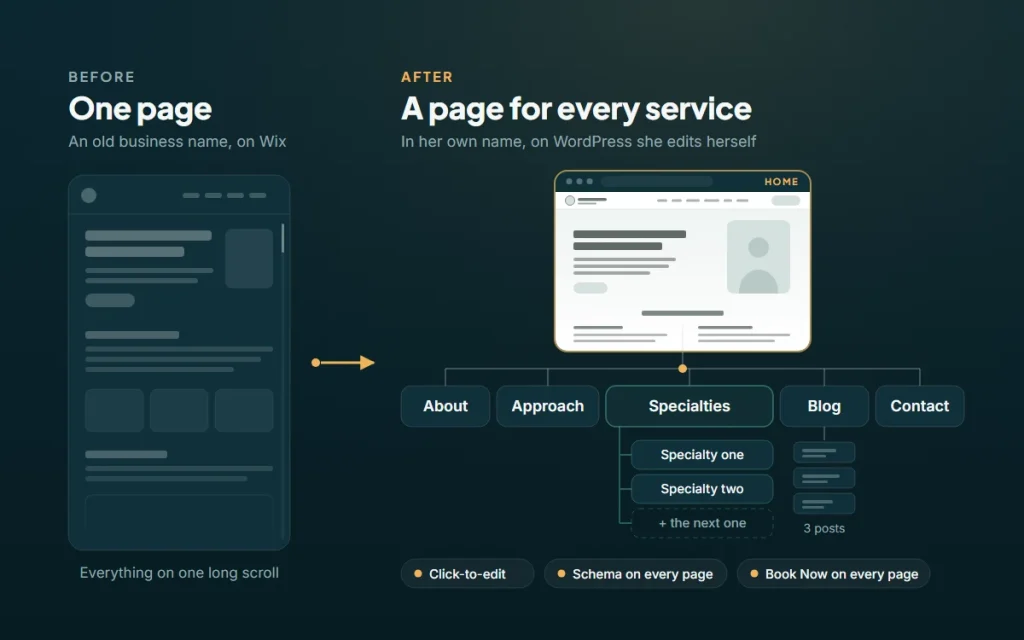
Her whole practice sat on one Wix page, under a name she was leaving behind. We rebuilt it in her own name, with a page for each thing she helps with, on a system she edits herself.
The situation
The old site carried the business name she used to practise under. It was one page. Who she is, how she works, what she helps with and how to book, all stacked on a single scroll.
That is a bigger problem for a counsellor than it sounds. A single page has one title and one description to offer Google, so it can only really compete for one search.
People do not search for a counsellor. They search for the thing that is keeping them up at night.
She was also changing names. The practice was moving from that business name to her own: a new domain, a new booking page, a new Business Profile. Even the photos on her blog posts were Wix stock images, licensed for Wix sites only. They could not come with her.
The real problem: one page, many reasons to reach out
Someone burning out at work and someone who cannot quiet their own anxiety are not looking for the same thing. They do not use the same words. They are not ready to hear the same message.
On one page, both land on the same headline and scroll for whatever applies to them. That is a lot to ask of someone who is already working up the nerve to book.
There was one more constraint most businesses never face. In her profession she cannot use reviews or testimonials. No star ratings, no client quotes. The site has to earn trust with its own words: how clearly it names the problem, and how easy it makes the next step.
What we did
We rebuilt the site around the reasons people reach out, not around a single scroll.
- Gave every specialty its own page. Each one has its own headline, its own list of what people come in with, and its own title and description in search. Adding another later is a new page, not a rebuild.
- Split the rest into the pages people expect. Home, About, Approach, Blog and Contact. Her approach, including the therapies she uses and the questions people ask before a first session, has a page of its own instead of a section near the bottom.
- Kept her words. Home, About and Approach are her copy. The structure changed. Her voice did not.
- Moved everything into her name. A new domain, her online booking page renamed, and a Google Business Profile with the same address, description and booking link as the site.
- One button, everywhere. Every Book Now opens her online booking page, where the free consult and every session type are listed. On a phone, it stays in reach as you scroll.
- Brought her blog over. Her three posts moved off Wix, with real lists where Wix had numbered paragraphs.
The SEO behind the structure
A page per specialty is the biggest search change on the site, and it is not a trick. It gives Google something specific to match.
- One page, one search. Each page has a title, description and headline written for how people actually search: counselling for work stress, for anxiety, for burnout, close to home.
- Structured data on every page. The home page tells Google this is a local practice, with the address and map coordinates. About names her, her credentials and what she works with. Approach marks up its questions and answers. Each specialty page describes its service. All of it points back to one business ID, so Google reads one practice, not a pile of loose pages.
- Pages that lead to each other. The lists of common struggles on the home page link straight to the matching specialty page. Home leads to About and Approach. Nobody has to hunt.
- The same facts everywhere. The address on the site, in the structured data and on her Business Profile match exactly. When every source agrees, Google has no reason to second-guess any of them.
- Built to pass the checks. Fonts load from her own site, not Google’s, so the text never waits on someone else’s server. Nothing jumps around while the page loads. A skip link, labelled menus and text contrast that passes. Google’s Lighthouse scores her home page and a specialty page 100 for accessibility and 100 for SEO.
A site she can change herself
Most small-business sites force a trade. Either the site looks right and every change goes through a developer, or the owner can edit it and the layout falls apart the first time they try.
We did not want her emailing us to fix a sentence, and we did not want her inside a page builder. So the site runs on our own click-to-edit system, the same one behind Residential Building Services.
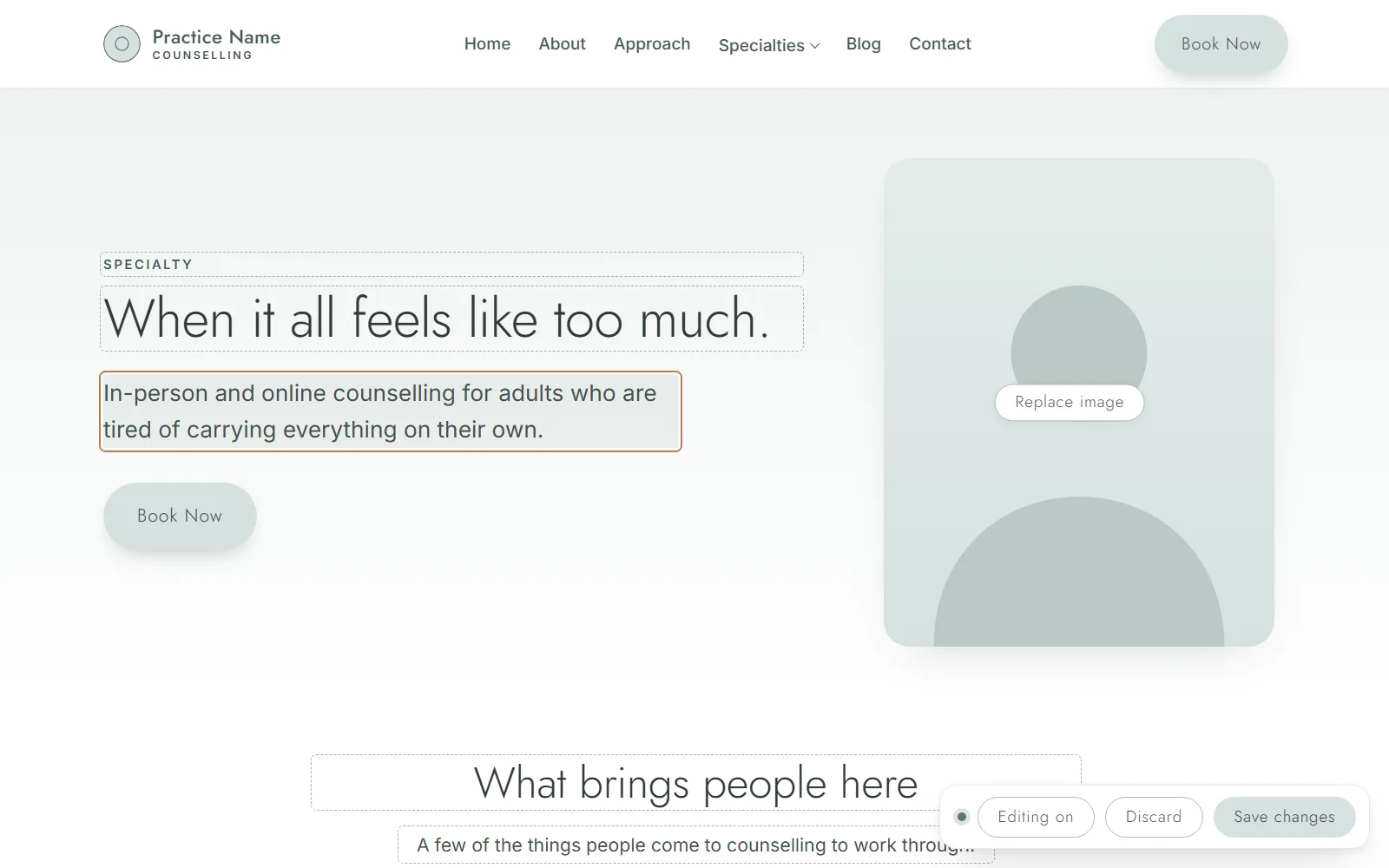 What she sees
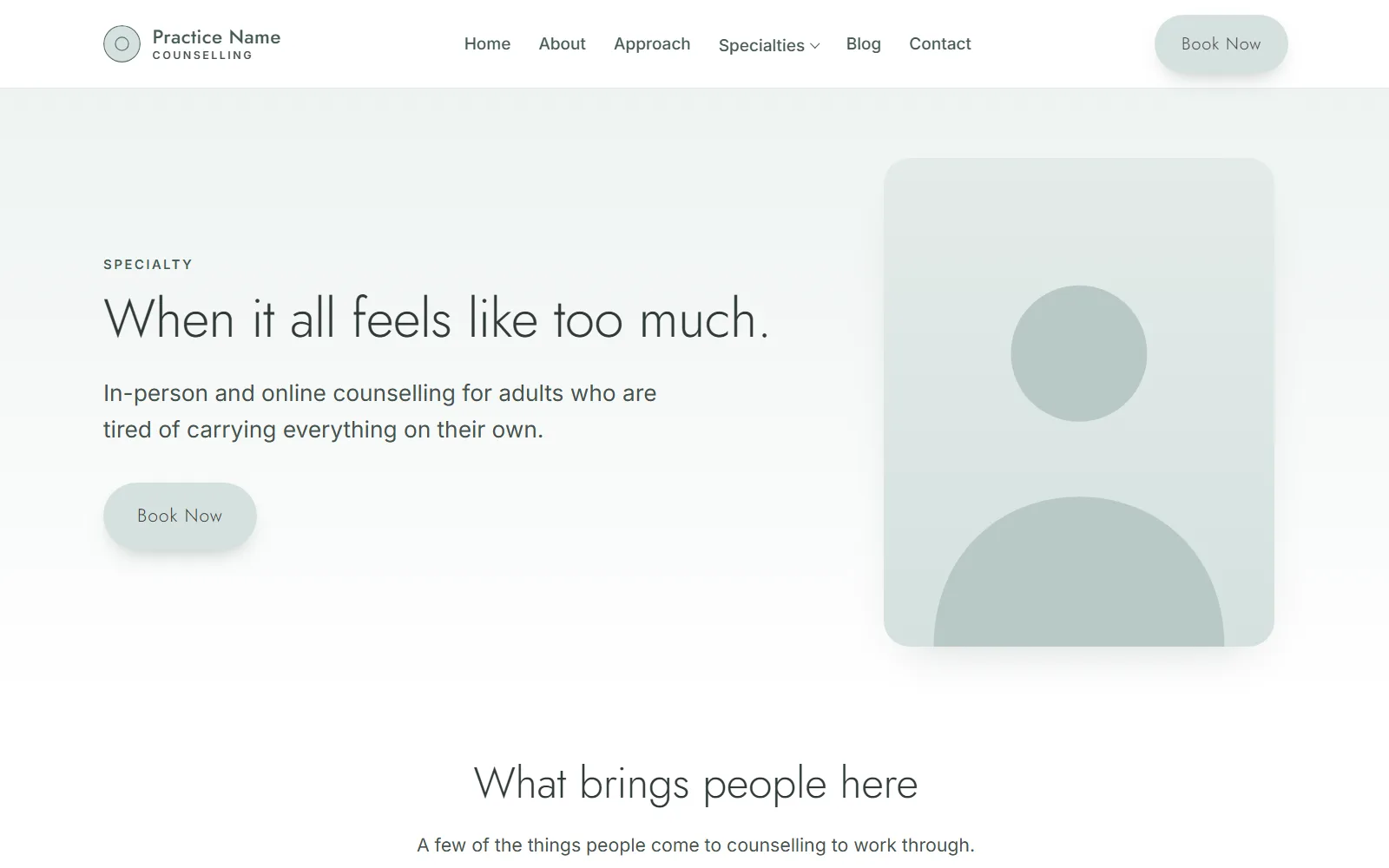 What visitors see
- Click Edit page, then click the words. Every heading, paragraph and list item she can change is outlined. She types and saves. That is the whole process.
- Click a photo to replace it. The editor gives phones a smaller copy and asks her once to describe the photo, so screen readers and search engines know what it shows.
- Links without code. Select a few words and add a link. Change or remove it from a small bubble underneath.
- Write a post from the Blog page. New post opens a draft laid out like her other posts, with example text saying what goes where. Publish refuses until every example line is replaced. Pasting from Word or Google Docs keeps the headings, lists and links and drops the stray fonts.
- The design cannot break. She changes words and photos, not layout. Whatever she pastes is rebuilt into clean markup when she saves.
It is not a demo feature. Within a week of launch she had rewritten most of both specialty pages in her own words, on her own, through the editor. The pages are better for it. Nobody describes her clients’ problems the way she does.
The result
One page became eight, plus her three posts, all in her own name. Each specialty page speaks directly to the people she most wants to help, in her words. Every Book Now goes to one place.
We are not quoting bookings yet. The site went live this fall, and search takes months to settle.
The bigger change is who owns it. Her name, her domain, her booking page, and a site she updates without asking anyone.
What this means for your business
If you offer more than one service, a one-page site asks a single headline to speak to every customer you have. It cannot. Each service is a different search, from a different person, in a different frame of mind. Give each one a page and you give each one a way in.
If you are moving to a new name or a new platform, the website carries everything else with it. The domain, the booking link, the Business Profile and the structured data all have to agree. When they do not, Google hedges its bets on all of them. We have written up what a complete Business Profile looks like.
If every small change means an email to a developer, your site is already out of date. The business changes faster than the queue. A site you can edit yourself, and cannot break, stays true.
And if your field rules out reviews, the site has to do that work instead. Pages that name the problem in your client’s own words do more than any badge.
See how we approach website development and SEO, or book a free Growth Session and we will map out the pages your services deserve.
Want results like these?
Book a free Growth Session. We go through your website, ads and search presence and give you three things to fix, whether you hire us or not.